

ONE PERSON · REAL CONVERSATION
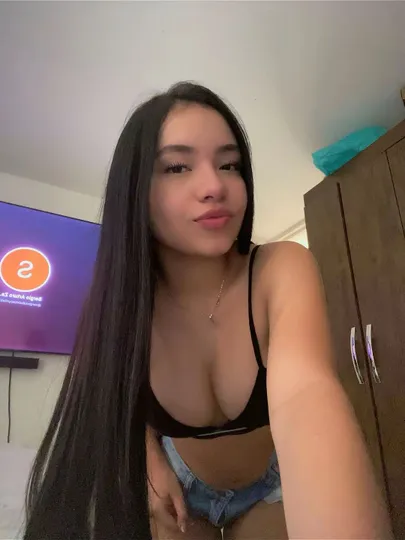 A face, not a feed.
You decide when to stay
and when to tap Next.
and when to tap Next.
Two cameras · one conversation
Cam to Cam Chat That Feels Like Showing Up
A profile photo cannot answer you back. Cam to cam chat puts two people in the same moment, with facial expressions, pauses and the small laugh that tells you a joke landed.
- Browser camera and microphone
- Next, Block and Report in reach
- 10 free tries per account daily
The first camera request can feel more intimidating than the conversation itself. Is the lens clean? Is the room too dark? What if your face appears frozen at an unfortunate angle? Those worries are ordinary, and a little preparation removes most of them before a stranger appears.
OmeCam keeps the setup short. Your first use creates an account automatically without a profile form, then the browser asks for the camera and microphone access needed for video. No audience watches from the sidelines of a one on one video chat: just you and the person matched with you.
What two-way video changes in cam to cam chat
Text gives you time to edit every thought. Two-way video returns some of the information that editing removes. A raised eyebrow can turn a flat question into a joke. A nod can be enough to keep a story moving. You do not need to perform; you only need to be visibly present.
That presence also makes consent clearer. If either person is not enjoying the exchange, it is easier to notice and leave. Next ends the match without requiring a speech. When the issue goes beyond a poor fit, Block prevents unwanted contact and Report sends the behavior into the review process described under video chat safety.
Camera permission and a sixty-second setup
Give the browser only the access video needs
Camera and microphone permission belongs to your browser and device. If you previously chose Block, the start button cannot override that decision. Open the browser’s site settings, allow the camera and microphone, then reload. The camera troubleshooting steps also cover a camera already being used by another app.
Put the lens at eye level and the light in front of you
A laptop on a stack of books is often enough. Looking slightly up at a phone from below tends to feel less natural than holding it near eye level. Face a window or lamp rather than sitting with bright light behind you, and glance at your own preview for distracting objects before you begin.
- 1
Check the frame
Keep your head and shoulders visible and remove mail, documents or anything with an address from view.
- 2
Check the sound
Use headphones if your room echoes. They also keep the other person’s voice from feeding back into your microphone.
- 3
Check your comfort
Sit somewhere you can leave easily and do not feel obliged to reveal more of the room than you want.
A useful first minute on webcam chat
Start with something you can both answer without effort. “Where are you joining from?” is serviceable; “What has been the best part of your day so far?” usually gives the other person more to work with. If the connection is quiet, a simple “Can you hear me?” solves the practical question before you assume the match is unfriendly.
There is no prize for keeping a weak match alive. You might exchange two pleasant sentences and still know the conversation is not for you. “Nice meeting you—I’m going to try another match” is enough. For moments when words fail, the conversation examples offer realistic ways to begin and leave.
Using camera chat online on a phone
On a phone, keep the device steady and leave enough battery for the call. A window or soft lamp in front of you matters more than the newest handset. OmeCam runs in the browser, so there is no store download to find. If you expect to return, add the site to your home screen from Safari or Chrome for a more convenient shortcut.
Video is only one option in the match lobby. Audio can feel easier when you are walking around or do not want to show your surroundings, while text is useful in a quiet public place. Switching formats does not change the basic boundary: safe random video chat still means keeping personal details private and leaving anything that feels wrong.
| Situation | Practical choice | Why |
|---|---|---|
| Bright room, private space | Video | Facial cues and reactions make the conversation fuller. |
| Noisy surroundings | Text | You can read and reply without fighting background noise. |
| Camera reluctance | Audio | Your voice carries personality without showing the room. |
| Uncomfortable match | Next, Block or Report | Leave a poor fit or flag behavior for review. |
Cam to cam chat questions
Yes, a video match is a two-way call between two people. You choose whether video, audio or text is the right starting format in the lobby.
Yes. Your first use creates an account automatically; there is no public profile form to complete. Bind an email later if you want to reduce the risk of losing that account.
Check browser permission, close other apps using the camera and reload. The video chat support steps walk through those checks in order.
You can start with 10 free tries per account each day. After that, free video chat continues with coins or VIP at the price displayed in the app before payment; virtual goods are non-refundable.
Your next hello
Let the next conversation see you
Check your camera, choose a comfortable spot and start when you are ready.